

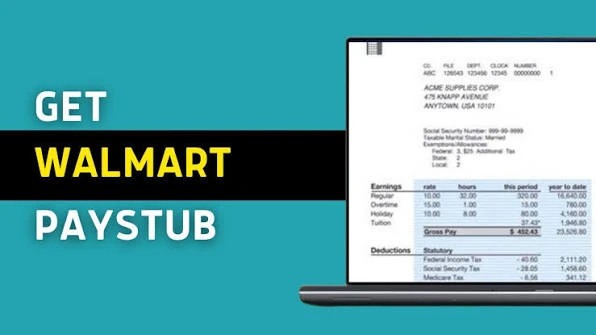
If you work at Walmart and want to check your Walmart paystub, you can access paycheck information through Walmart’s associate systems.
For current associates, Walmart documentation has directed employees to OneWalmart → Me → My Money → My Paystub to access paycheck details.
Your Walmart paystub can help you review information associated with your paycheck, including earnings and other payroll details.
Because Walmart regularly updates its employee systems, the exact menu names or screens you see may change. If the layout looks different from an older guide, use the current options shown in your OneWalmart account.
Walmart Paystub Login: Quick Steps
If you’re a current Walmart associate, follow these general steps:
1. Open OneWalmart
Go to:
One.Walmart.com
Use the official Walmart associate portal rather than a third-party login website.
2. Sign In
Enter your Walmart associate credentials.
You may need to complete 2-step verification when accessing Walmart’s systems outside the Walmart network.
3. Open the Associate Menu
After signing in, look for the Me section or the associate resources available to your account.
4. Select My Money
Look for:
Me → My Money
Walmart documentation has used this navigation for paycheck information.
5. Select My Paystub
Choose:
My Paystub
You can then access the paycheck information available through your Walmart account.
Walmart Paystub Login at a Glance
| Step | Action |
|---|---|
| 1 | Open One.Walmart.com |
| 2 | Sign in with your associate credentials |
| 3 | Open Me |
| 4 | Select My Money |
| 5 | Select My Paystub |
Important: Walmart may change its internal menus or payroll systems. If you don’t see exactly these options, use the current payroll/pay information links available inside your OneWalmart account.
What Is a Walmart Paystub?
A Walmart paystub is a record associated with your paycheck that can provide information about your pay and payroll deductions.
Depending on the payroll system and information available to you, your pay information may include details such as:
- Pay period
- Gross pay
- Regular hours
- Overtime or other eligible earnings
- Taxes
- Other deductions
- Net pay
- Year-to-date information
The exact information displayed can depend on your position, payroll setup, and current Walmart systems.
How Do I Check My Walmart Paystub Online?
The general process for current associates is:
OneWalmart → Me → My Money → My Paystub
Walmart documentation specifically identifies this route for accessing paycheck details.
If your OneWalmart account has a different layout, search the portal for Paystub, My Paystub, Pay, or My Money.
Can You Check Your Walmart Paystub From Home?
If your Walmart associate account supports external access, you may be able to access your pay information away from the store.
You may need to complete Walmart’s required security verification when accessing OneWalmart externally.
If you cannot access your account from home, first make sure your OneWalmart login is working correctly.
Walmart Paystub Not Showing Up?
If you signed into OneWalmart but cannot find your paystub, try these steps.
Check the My Money Section
Start with:
Me → My Money → My Paystub
If you don’t see the option, use the search function available within OneWalmart.
Check Your Pay Period
A paystub may not be available until the applicable payroll information has been processed.
If you’re expecting a new paystub, check again after the relevant payroll processing period.
Check Your Associate Account
Make sure you are signed into the correct Walmart associate account.
Your personal Walmart.com shopping account is different from your Walmart associate account.
Check for System Changes
Walmart periodically updates its associate systems.
An older article, video, or screenshot may show a different navigation path from the one currently available to you.
Contact Walmart Associate Support
If you believe your paycheck information should be available but you cannot access it, contact Walmart’s official associate support resources.
What Information Can You See on a Walmart Paystub?
The information on a paystub can vary, but employees generally use paystubs to review information related to their paycheck.
Common categories can include:
Gross Pay
This is the amount earned before applicable taxes and deductions.
Taxes
Your pay information may show applicable payroll taxes withheld from your earnings.
Other Deductions
Depending on your circumstances, deductions can include items related to benefits or other authorized payroll deductions.
Net Pay
Net pay represents the amount remaining after applicable deductions and withholdings.
Year-to-Date Information
Pay information can also include year-to-date totals for certain earnings, taxes, and deductions.
If something appears incorrect, compare the paystub with your expected hours and pay information and contact Walmart through the appropriate associate support channel.
Walmart Paystub vs. Walmart Paycheck
These terms are related but aren’t exactly the same.
Paycheck: The payment you receive for your work.
Paystub: The record showing information associated with that paycheck.
Your paystub can help you understand how your gross earnings resulted in the final amount paid to you.
What If Your Walmart Paycheck Is Missing?
If you expected a paycheck but don’t see the payment you expected, don’t assume that the paystub itself is the problem.
Check:
- Your paystub information
- Your payment method
- Your bank account if you use direct deposit
- Your recorded hours
- Your pay period
- Any applicable payroll deductions
If the information still doesn’t appear correct, contact Walmart’s appropriate payroll or associate support resources.
What If Your Walmart Paystub Shows the Wrong Hours?
If the hours shown on your pay information don’t match the hours you believe you worked, review your time and attendance information.
This is where your previous GTA information may be useful.
You can compare:
GTA/time information → Paystub → Expected paycheck
Look for possible differences involving:
- Regular hours
- Overtime
- Missed punches
- Time adjustments
- Approved time off
- Other recorded time
If you believe your recorded hours are incorrect, speak with your manager or the appropriate Walmart associate support contact.
How to Find Walmart Paystub Through OneWalmart
If you’re already logged into OneWalmart, the general navigation is:
Me
↓
My Money
↓
My Paystub
Walmart has documented this route for associates looking for paycheck details.
If the menu has changed, use OneWalmart’s current search or navigation options to locate your pay information.
Can Former Walmart Employees Access Their Paystubs?
Former associates may have different access options from current Walmart employees.
Walmart has separate information for associates leaving the company that explains how former associates can access paystubs and W-2 information through other systems.
Therefore, if you no longer work for Walmart, don’t assume that the current OneWalmart paystub process will continue to work for your account.
Use the former-associate instructions provided by Walmart.
How to Get an Old Walmart Paystub
If you need an older paystub, first check the available paystub history in your current associate payroll system.
If an older document isn’t available, contact Walmart’s appropriate payroll or associate support service.
Former associates may also have different procedures for accessing historical payroll records.
Walmart Paystub and W-2: What’s the Difference?
A paystub and a W-2 are different documents.
Paystub
A paystub is associated with an individual paycheck or pay period and provides payroll information.
W-2
A W-2 is an annual tax document used to report wages and certain tax information for the year.
If you’re looking for your annual tax form rather than an individual paycheck record, search for Walmart’s current W-2 instructions instead of looking only for your paystub.
Does Walmart Paystub Show PTO?
Your paystub may contain payroll information related to paid time off or other applicable earnings, but PTO balances and time-off information are handled through Walmart’s associate systems.
For PTO information, you may need to use the relevant Walmart time and attendance or benefits tools rather than relying only on the paystub.
Walmart’s current benefits information explains that eligible associates have access to paid time off and other benefits, with eligibility and terms depending on the applicable program.
Does Walmart Paystub Show Benefits Deductions?
Depending on your enrollment and payroll circumstances, deductions associated with benefits may appear in your payroll information.
Walmart’s current benefits program includes various financial, health, and other benefits for eligible associates.
If you don’t recognize a deduction, check the relevant benefit information and contact Walmart’s associate support resources if you need an explanation.
Walmart Paystub Login Not Working?
If you cannot access your paystub, work through these checks:
Problem 1: OneWalmart Won’t Open
Try:
- Checking your internet connection
- Refreshing the page
- Using another browser
- Clearing your browser cache
- Trying again later
Problem 2: Login Credentials Don’t Work
Make sure you’re using your Walmart associate credentials rather than your personal Walmart.com account.
Problem 3: 2-Step Verification Fails
Make sure you have access to the verification method associated with your Walmart account.
Problem 4: My Paystub Isn’t Visible
Search OneWalmart for My Paystub, Paystub, or My Money.
Problem 5: Pay Information Looks Incorrect
Compare your paystub with your recorded time and expected earnings, then contact your manager or Walmart’s appropriate associate support channel.
Walmart Paystub and Direct Deposit
Your paystub and payment method are related but serve different purposes.
The paystub provides information about your paycheck, while direct deposit determines where your eligible wages are deposited.
If your paystub appears correct but your bank deposit is missing, check your payment account and then contact the appropriate Walmart support resource if necessary.
Walmart also currently offers financial-well-being tools to associates, including OnePay @ Work, subject to applicable eligibility and program terms.
Frequently Asked Questions
How do I check my Walmart paystub?
Current Walmart associates can generally access paycheck information through OneWalmart → Me → My Money → My Paystub. Walmart documentation has identified this navigation for paycheck details.
What website do Walmart employees use for paystubs?
Current associates can start at One.Walmart.com and navigate to the paystub resources available to their account.
Can I check my Walmart paystub from my phone?
If your Walmart associate account and current Walmart systems support mobile access, you can use the available Walmart associate tools on your phone. The exact interface can vary as Walmart updates its systems.
Why can’t I see my Walmart paystub?
Possible reasons include payroll processing timing, account access issues, a changed OneWalmart interface, or a problem with your associate account. Check Me → My Money → My Paystub first and contact Walmart support if the information should be available but isn’t.
Is Walmart paystub the same as a paycheck?
No. A paycheck is the payment you receive. A paystub is the payroll record showing information about that payment.
Can former Walmart employees access old paystubs?
Former associates may have a different process. Walmart provides separate instructions for associates who have left the company, including information about accessing paystubs and W-2s.
Can I see my Walmart paystub before payday?
Paystub availability depends on Walmart’s payroll processing and the applicable pay period. If the document isn’t available yet, check again when the payroll information has been processed.
What should I do if my Walmart paystub has incorrect information?
Compare it with your recorded hours and other relevant payroll information. If you believe something is incorrect, contact your manager or Walmart’s appropriate associate support channel.
How do I access Walmart benefits information?
Walmart currently directs current associates to One.Walmart.com for detailed benefits information.
Final Thoughts
The Walmart paystub is an important payroll record for associates who want to review their paycheck information.
For current associates, the general path documented by Walmart is:
OneWalmart → Me → My Money → My Paystub.
If you cannot find the paystub option, use the current search and navigation tools inside OneWalmart because Walmart can change its internal systems and menus.
If your paystub is missing, your hours appear incorrect, or your payment doesn’t match your expectations, compare the available payroll and time information and contact Walmart’s official associate support resources for account-specific assistance.
Important: This is an independent informational guide and is not affiliated with or endorsed by Walmart Inc.

 By
By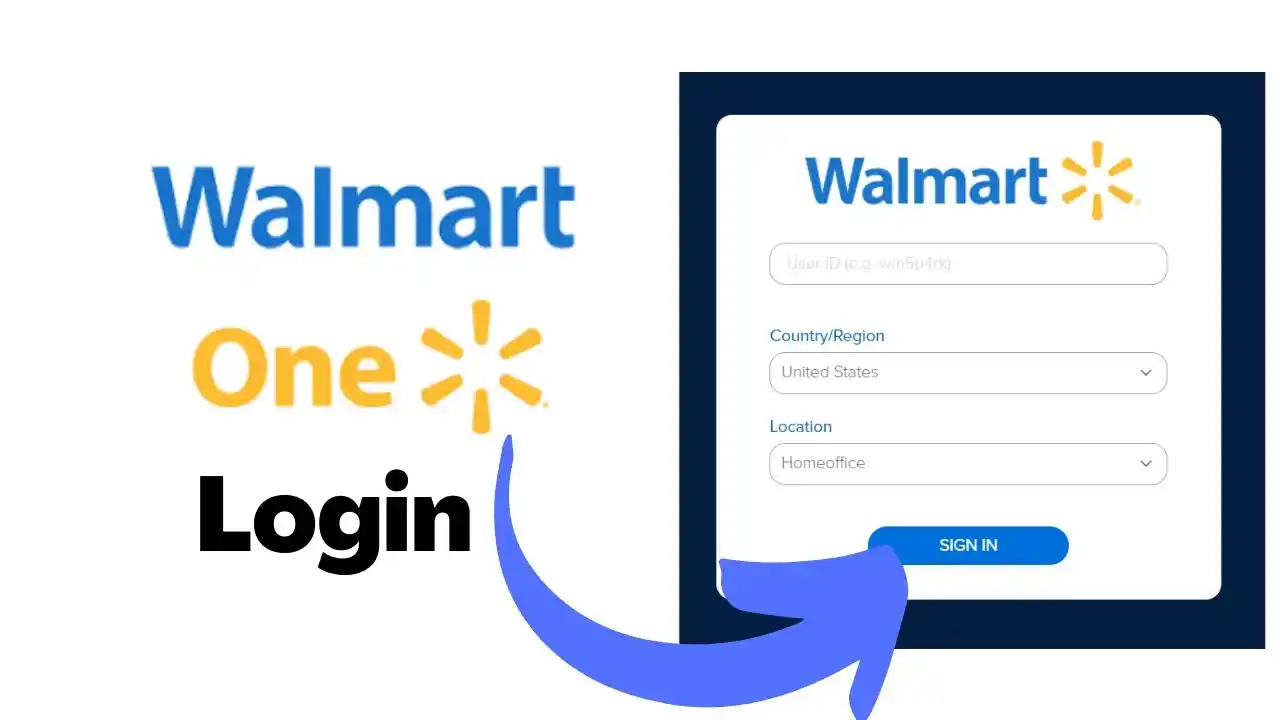
 By
By

 By
By