
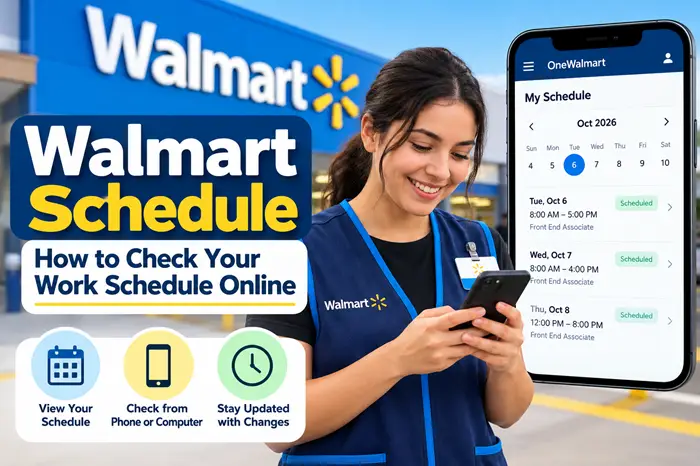
If you work at Walmart and want to check your Walmart schedule, you can use Walmart’s associate systems to view your upcoming shifts, scheduled hours, and other schedule-related information.
For Walmart associates, My Schedule is part of Walmart’s official My Time tools. Walmart’s OneWalmart portal lists My Schedule alongside tools such as the GTA Portal, PTO, LOA, and timekeeping resources.
This guide explains how to check your Walmart work schedule online, where to find My Schedule, what information you may see, and what to do if your schedule is not showing.
Important: This is an independent informational guide and is not affiliated with or endorsed by Walmart Inc.
Walmart Schedule: Quick Answer
To check your Walmart work schedule:
- Go to the official OneWalmart associate portal.
- Sign in with your Walmart associate credentials.
- Complete the required verification if prompted.
- Open the Me section.
- Go to My Time.
- Select My Schedule.
- Review your upcoming shifts and scheduled hours.
Walmart’s official My Time page identifies My Schedule as the place for schedule details and tools.
Walmart Schedule at a Glance
| Information | Where to Check |
|---|---|
| Walmart work schedule | My Schedule |
| Upcoming shifts | My Schedule |
| Scheduled hours | My Schedule |
| Time and attendance | GTA Portal |
| PTO information | My Time |
| Leave information | My Time |
| Time clock information | GTA Portal / GTA Time Clock |
| Schedule-related tools | My Schedule |
How to Check Your Walmart Schedule Online
Step 1: Open OneWalmart
Start by going to Walmart’s official associate portal.
If you are already familiar with OneWalmart login, use the same associate login process you normally use to access Walmart employee resources.
Do not enter your Walmart credentials into websites that are not part of Walmart’s official systems.
Step 2: Sign In to Your Associate Account
Enter your Walmart associate User ID and password.
Depending on your access and location, Walmart may require additional verification before allowing you to access associate information.
If you cannot remember your login information, use Walmart’s official account or associate support options rather than entering your credentials on an unofficial website.
Step 3: Go to the My Time Section
After signing in, look for the My Time section.
Walmart’s official My Time page includes several associate time-related resources, including:
- Paid Time Off
- Leave of Absence
- My Schedule
- GTA Portal
- GTA Time Clock
- Electronic Time Adjustments
Step 4: Select My Schedule
Choose My Schedule to view your schedule information.
The official Walmart My Schedule interface is designed to display scheduled days and hours for the associate.
Depending on your role and current system access, the information available to you can vary.
Step 5: Review Your Upcoming Shifts
Once your schedule loads, review the days and times you are scheduled to work.
Check carefully for:
- Work date
- Shift start time
- Shift end time
- Scheduled hours
- Upcoming shifts
- Changes to previously displayed shifts
If something looks incorrect, contact your store management or the appropriate Walmart associate support channel.
What Is Walmart My Schedule?
Walmart My Schedule is an associate scheduling tool available through Walmart’s internal associate systems.
It is different from the Walmart website that customers use for shopping.
Walmart’s official My Time page specifically lists My Schedule – Schedule details & tools as one of the resources available to associates.
The My Schedule area can help associates keep track of their upcoming work commitments without relying solely on a printed schedule or asking a manager for every shift.
Walmart Schedule vs. GTA Portal
A common question is whether Walmart Schedule and the GTA Portal are the same thing.
They are related, but they serve different purposes.
| Walmart Tool | Main Purpose |
|---|---|
| My Schedule | View schedule details and scheduled shifts |
| GTA Portal | Time and attendance information |
| GTA Time Clock | Timekeeping |
| PTO | Paid time off information |
| LOA | Leave of absence information |
Walmart’s official My Time page lists both My Schedule and the Global Time & Attendance (GTA) Portal as separate tools.
If you want to know when you are supposed to work, start with My Schedule.
If you need information about time and attendance, the GTA Portal is generally the more relevant tool.
For more information, see our guide to the Walmart GTA Portal.
Can You Check Your Walmart Schedule From Home?
Access to Walmart associate systems depends on your account and the system you are using.
If you are authorized to access Walmart’s associate portal outside the store, you may be able to view your schedule through the available online associate tools.
If you cannot access My Schedule from home, check whether you are using the correct Walmart associate login and whether additional verification is required.
Avoid using unofficial websites claiming to provide Walmart employee schedules.
Can You Check Your Walmart Schedule on Your Phone?
Walmart has used digital and conversational tools to make associate information more accessible.
Walmart has previously described associate technology that allows associates to access work-schedule information through conversational tools, including asking about their schedule.
However, the exact availability of mobile features can change.
For the most reliable information, use the current official Walmart associate systems available to your account rather than relying on an old app name or third-party schedule website.
What If My Walmart Schedule Is Not Showing?
If your Walmart schedule is not showing, don’t immediately assume that you have been removed from the schedule.
There can be several possible reasons.
1. Check Your Internet Connection
A weak connection can prevent the schedule page from loading correctly.
Try:
- Refreshing the page
- Switching between Wi-Fi and mobile data
- Closing and reopening your browser
- Trying another browser
2. Sign Out and Sign In Again
Sometimes a session can expire.
Sign out of the associate portal and sign back in.
Complete any required verification again and then open My Time → My Schedule.
3. Check Whether Other Associate Tools Work
Try opening another authorized associate resource.
For example, if other My Time tools load but My Schedule does not, the problem may be specific to the schedule page.
4. Check With Your Store
If your schedule remains unavailable, contact your store management or People team.
This is especially important if you are supposed to work soon and cannot confirm your shift.
5. Don’t Rely on Old Screenshots
Walmart’s internal systems can change.
An older screenshot, YouTube tutorial, or social media post may show a different interface from the one you currently see.
Use the current Walmart associate portal as your primary source.
Why Did My Walmart Schedule Change?
Work schedules can change based on staffing requirements, store operations, role requirements, and other factors.
Walmart has historically described scheduling programs designed to provide associates with flexibility and predictability.
If you notice a change in your schedule, compare the current schedule with the one you previously viewed.
If the change affects an upcoming shift and you are unsure whether you are expected to work, contact your store rather than assuming that the previous schedule still applies.
What Does My Walmart Schedule Show?
The exact information available can depend on your role and current Walmart systems.
Generally, a schedule can help you identify:
- The days you are scheduled
- Your shift times
- Scheduled hours
- Upcoming workdays
- Changes to your schedule
Walmart’s My Schedule interface has historically displayed individual days along with scheduled information and total hours.
Walmart Schedule and Scheduled Hours
Your schedule and your actual worked time are not necessarily the same thing.
Your schedule tells you when you are expected to work.
Time-and-attendance systems are used for information related to time worked and attendance.
This distinction is important if you are comparing your schedule with your paystub or time records.
For example:
Schedule:
You are scheduled to work 8:00 AM–4:00 PM.
Timekeeping:
Your actual recorded time may reflect when you clocked in and out.
If you believe your recorded hours are incorrect, use the appropriate Walmart timekeeping or associate-support process.
What If My Walmart Schedule Has the Wrong Hours?
If the schedule displays hours that you believe are incorrect, first make sure you are looking at the current schedule.
Then:
- Check the date.
- Confirm the shift time.
- Refresh the schedule.
- Check again later if the schedule was recently updated.
- Speak with your manager or store’s appropriate support team if the issue continues.
Do not assume that an old screenshot or previous schedule is still valid.
Walmart Schedule and GTA Portal
The GTA Portal is particularly useful when you need to deal with time and attendance rather than simply viewing your upcoming shifts.
Walmart’s official My Time page identifies the Global Time & Attendance Portal as one of its associate tools.
For example:
Need to know when you work?
→ Check My Schedule.
Need to review time and attendance information?
→ Check the GTA Portal.
Need to check PTO?
→ Use the appropriate My Time resources.
You can read our complete guide here:
Walmart GTA Portal: How to Check Your Schedule, Hours & Attendance
Can I Check My Walmart Schedule After Work?
Yes, if you still have authorized access to Walmart’s associate systems, you may be able to view your schedule outside your working hours.
Your ability to access particular tools can depend on your employment status, account permissions, and Walmart’s current systems.
If you have recently left Walmart, your associate access may be different.
What Happens to My Schedule If I Leave Walmart?
Your access to Walmart’s internal associate systems can change after your employment ends.
If you are a former associate and need documents such as pay information or tax information, use Walmart’s designated former-associate resources where applicable.
Do not assume that your former associate login will continue to provide the same access as it did while you were employed.
For pay information, see:
Walmart Paystub: How to Check Your Paystub Online
Walmart Schedule FAQs
How do I check my Walmart schedule?
Sign in to the official Walmart associate portal, open My Time, and select My Schedule. Walmart identifies My Schedule as its schedule details and tools area.
What is Walmart My Schedule?
Walmart My Schedule is an associate scheduling resource used to view schedule information and upcoming work shifts.
Is Walmart Schedule the same as GTA?
No. My Schedule and GTA are separate Walmart associate tools. My Schedule focuses on schedule information, while GTA is associated with time and attendance.
Can I check my Walmart schedule online?
If you have authorized associate access, you can use Walmart’s associate systems to access available schedule information online.
Why can’t I see my Walmart schedule?
Possible reasons include a login problem, expired session, technical issue, schedule update, or an account/access issue. Try signing in again and, if the problem continues, contact your store.
Can I check my Walmart schedule from home?
Access depends on your Walmart associate account and the systems currently available to you. If authorized, you may be able to access schedule information outside the store.
Does Walmart have a schedule app?
Walmart’s digital associate tools and interfaces can change over time. Rather than relying on an old third-party app guide, use the current official Walmart associate resources available to your account.
Where can I check Walmart schedule hours?
Your scheduled hours can be viewed through My Schedule when available to your associate account.
What should I do if my schedule suddenly changes?
Check the current version of your schedule first. If you are unsure whether you are expected to work a particular shift, contact your store management or appropriate associate support.
Final Thoughts
The easiest place to start when you need to check your Walmart schedule is Walmart’s official associate system and the My Schedule section under My Time.
Remember the basic path:
OneWalmart → My Time → My Schedule
Use My Schedule for upcoming shifts and schedule information, while the GTA Portal is used for time-and-attendance-related resources. Walmart’s official My Time page currently lists both tools separately.
If your schedule is missing, incorrect, or not loading, first verify your login and refresh the page. If the problem continues—especially when you have an upcoming shift—contact your store for clarification.
Related Walmart Employee Guides
- OneWalmart Login: How Walmart Associates Access Their Account
- Walmart GTA Portal: How to Check Your Schedule, Hours & Attendance
- Walmart Paystub: How to Check Your Paystub Online
- Walmart Schedule: How to Check Your Work Schedule Online
Disclaimer: This article is an independent informational guide. It is not affiliated with, sponsored by, or endorsed by Walmart Inc. Walmart names, trademarks, and services belong to their respective owners.


